Free safe zone checker
TikTok, Reels and Shorts safe zones, on your own video.
Drop in a video or picture and see exactly what each app's buttons, caption and top bar cover. Then grab the free 1080 x 1920 overlays for your editor. It all happens in your browser: nothing is uploaded.
Drop a video or picture here
It stays on your device. Nothing is uploaded.
Under the TikTok screen
Add a video or picture to see what lands under each part of the TikTok screen. Until then, the overlay shows where they sit.
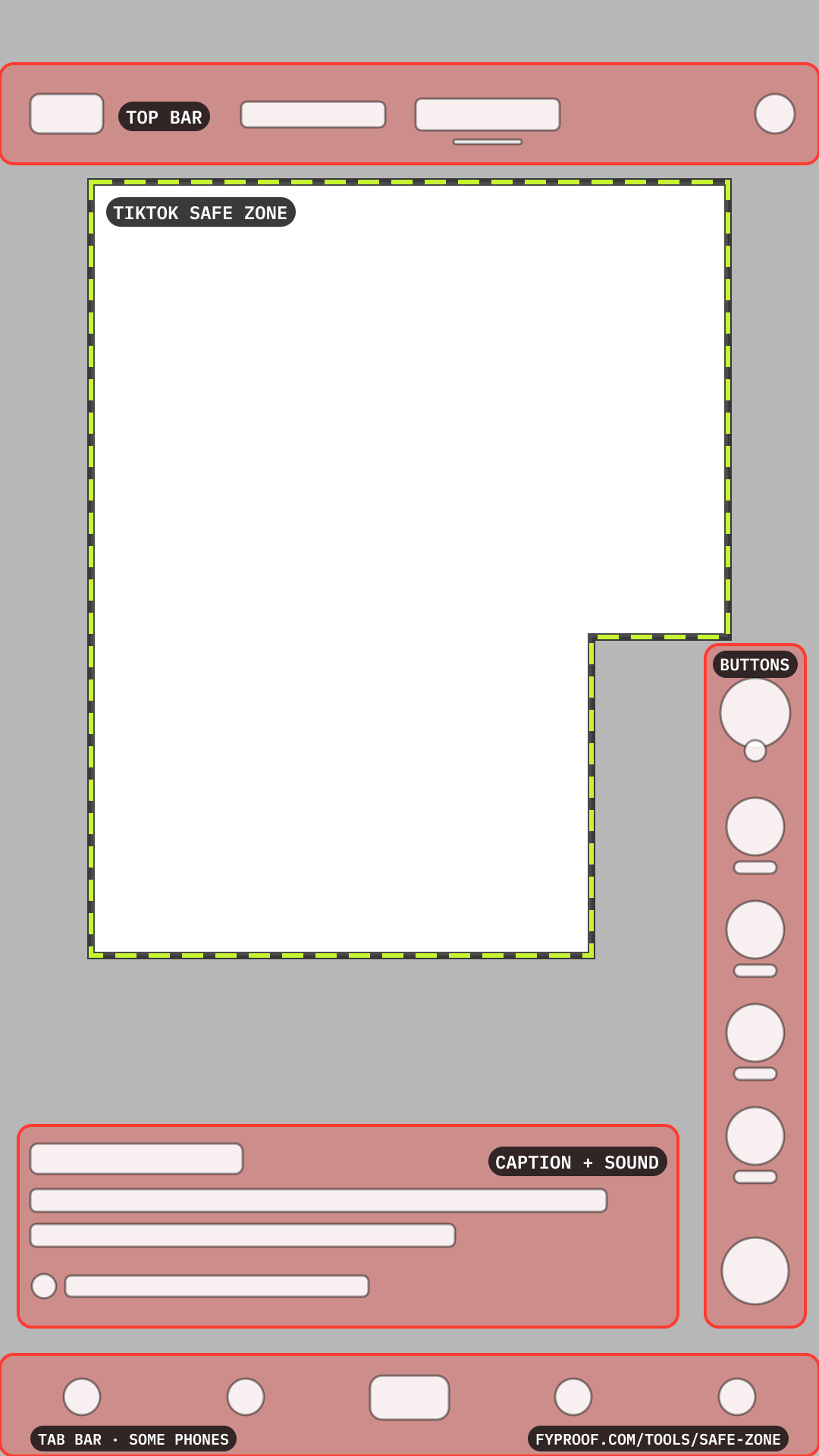
Free safe zone templates (1080 x 1920 PNG)
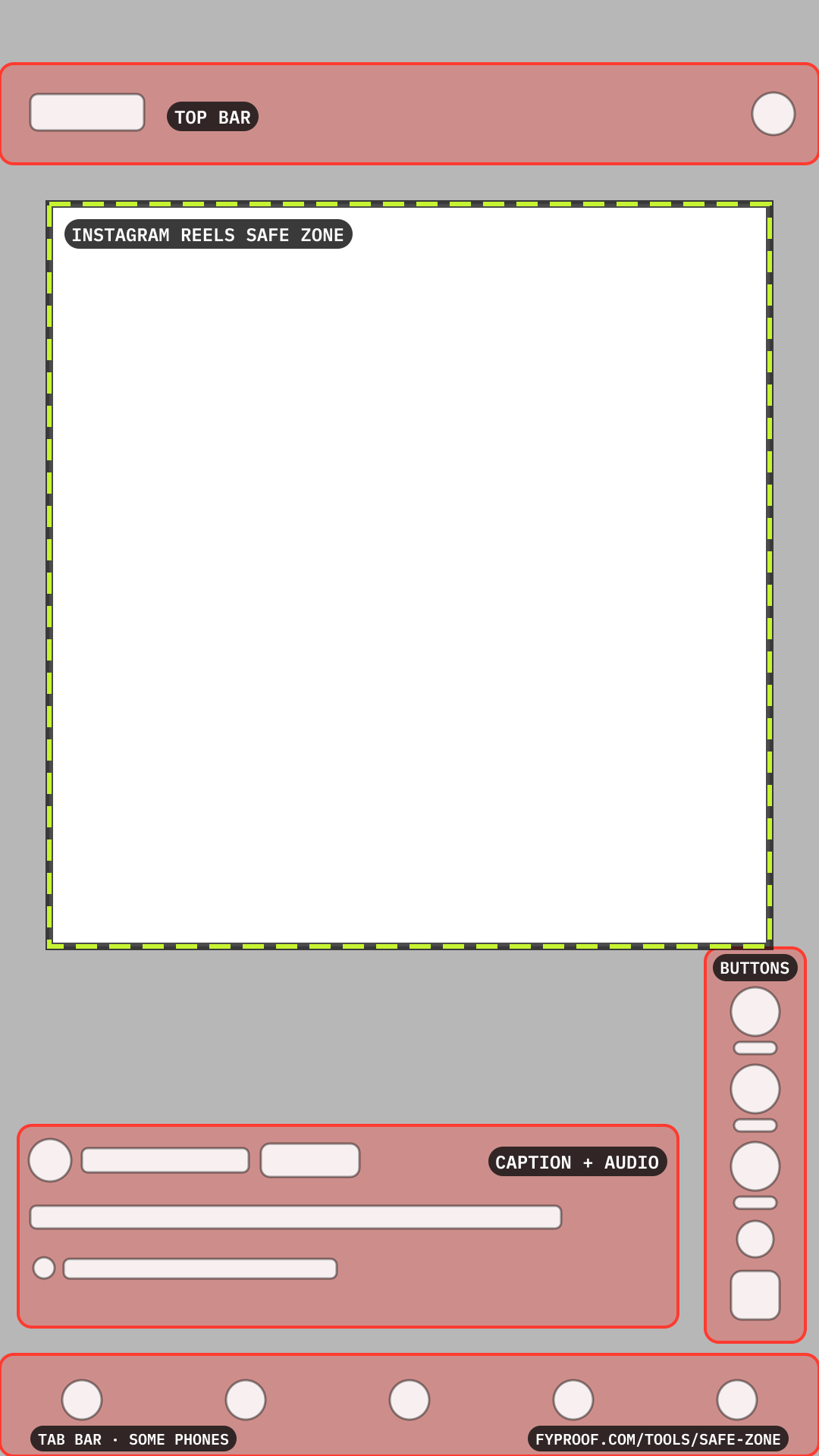
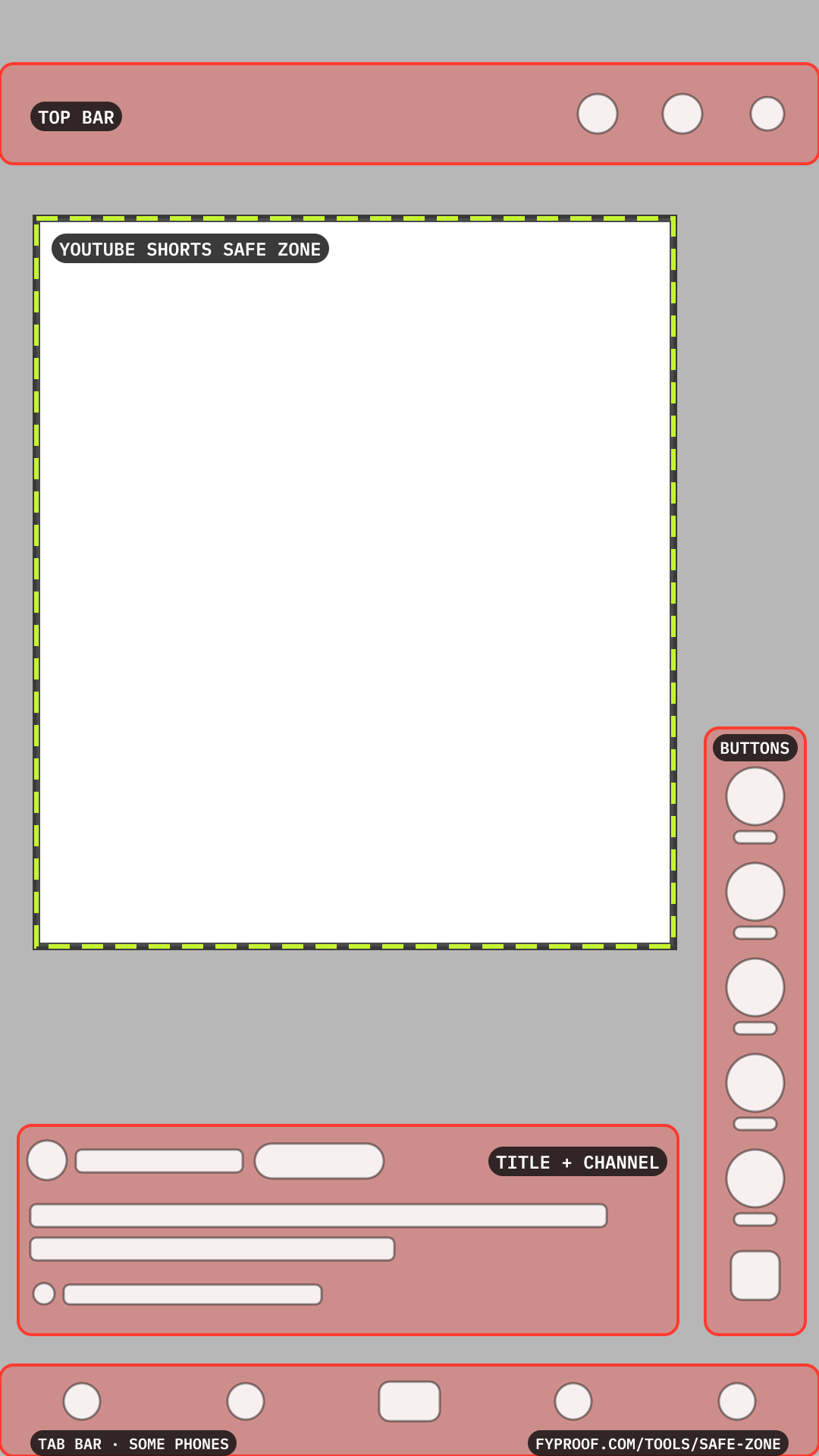
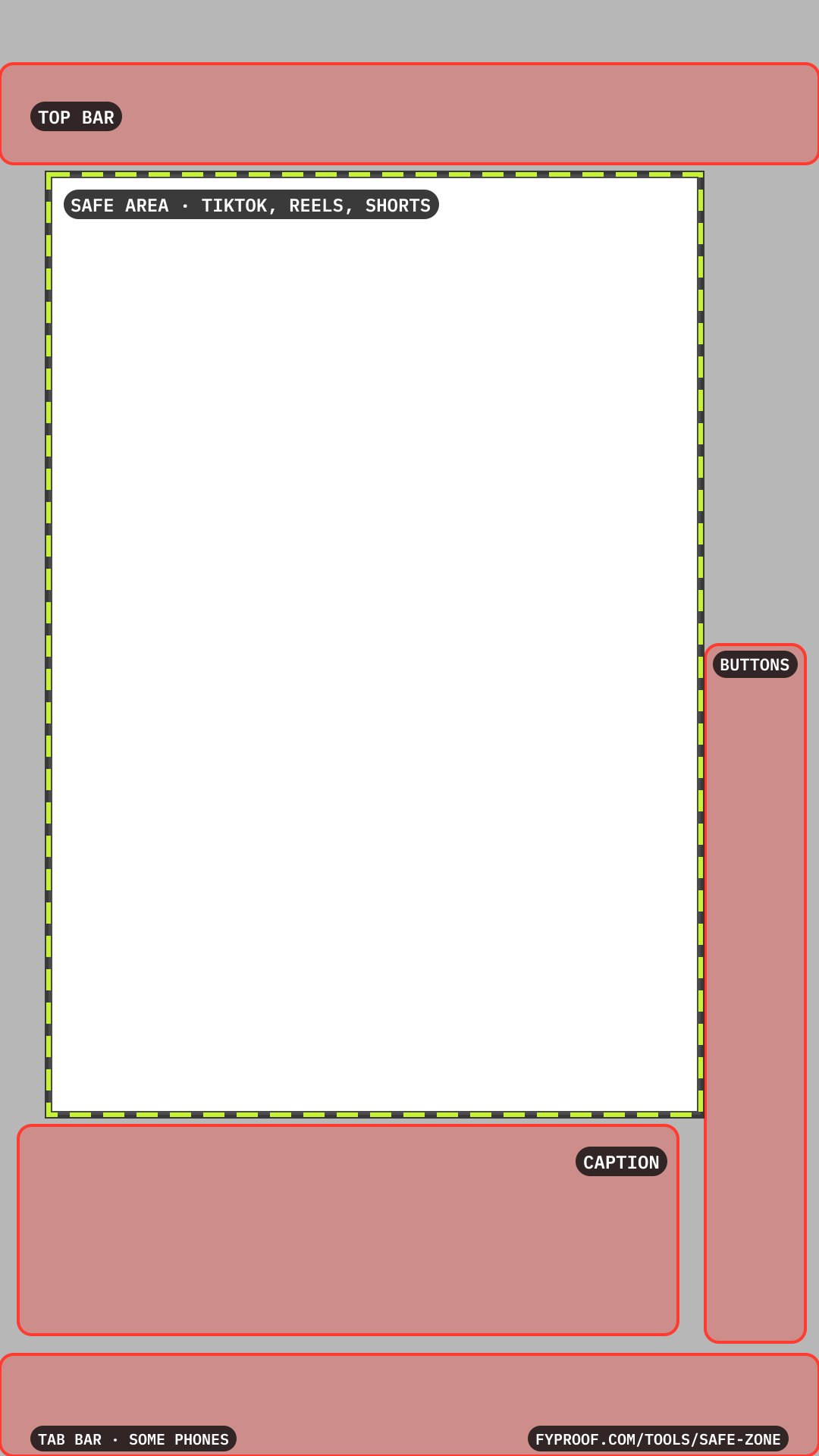
Transparent overlays for CapCut, Premiere Pro, Final Cut, DaVinci Resolve, Canva or any editor. Put one on the top layer, line up your text and faces inside the dashed line, then hide it before you export. Free to use and share; a link back to this page is always appreciated.
TikTok
Download PNGInstagram Reels
Download PNGYouTube Shorts
Download PNGTikTok + Reels + Shorts
Download PNG
Safe zones, in plain words
What is a safe zone?
The part of a 9:16 video that no button, caption or top bar covers. Keep your hook, subtitles, faces, logos and call to action inside it and they stay readable on every phone.
What is the TikTok safe zone?
TikTok's own safe zone file for feed videos leaves 120 px on each side, 240 px at the top and 660 px at the bottom of a 1080 x 1920 video, and keeps a 180 px column on the right clear from 840 px down, for the like, comment, save and share buttons. That leaves a clear box of 840 x 1020 px with its bottom-right corner cut away.
What is the Instagram Reels safe zone?
Meta recommends keeping 14% of the top, 35% of the bottom and 6% of each side free of text and logos. On a 1080 x 1920 Reel that is 269 px at the top, 672 px at the bottom and 65 px on each side: a clear box of 950 x 979 px.
What is the YouTube Shorts safe area?
Google's vertical safe zone overlay leaves 48 px on the left, 192 px on the right for the buttons, 288 px at the top and 672 px at the bottom of a 1080 x 1920 Short: a clear box of 840 x 960 px.
Is there one safe zone for TikTok, Reels and Shorts?
Yes, for regular posts: keep text between 64 and 924 px across and between 230 and 1470 px down, a 860 x 1240 px box. It clears all three apps' top bar, buttons and caption block when the caption is a line or two, and it's the box our own videos use.
Why are the official zones so tall at the bottom?
The apps publish them for ads, which add a call-to-action button and a Sponsored line above the caption. A regular post has less down there, so the shared box can go lower. If the same video goes out as an ad, use that app's own zone.
What size should a TikTok, Reel or Short be?
1080 x 1920 pixels, 9:16, for all three. Other shapes get bars or a crop, which moves everything you placed against the buttons.
Where the numbers come from
- TikTok: TikTok Auction In-Feed Ads: safe zone files (TikTok Ads Manager)
- Instagram Reels: Instagram Reels ad specs (Meta Ads Guide)
- YouTube Shorts: About video ad specs: safe zone overlays (Google Ads Help)
The shared box is the one our own videos use. The app screens drawn over your video are our drawings of a regular post: the exact spots shift a little by phone and app version.
More free tools
- Caption & hashtag counterCount characters and hashtags against every app's limit as you type.
- Video spec checkerFind out if your file fits before the upload fails.
Your next post,
pre-checked.
Make an account and check your next video before it goes up. Free during the beta.